
Impact:
- Reduces “retrofit tax”
- Increases confidence and decreases cognitive load for designers
- Supports designers through passive learning
- Encourages designers and developers to think about accessibility proactively
1. The Challenge
The accessibility tools that exist today are diagnostic, not collaborative. They tell you what's wrong but rarely help you fix it in a way that respects your design vision. This creates a hostile relationship between designers and accessibility requirements.The Core Problem:
How might we shift accessibility from a "final check" performed by auditors to a "creative partner" that helps designers build inclusively from the first pixel?
This required reimagining accessibility tooling not as a linter, but as an intelligent collaborator - one that understands design systems, brand guidelines, and creative intent.
2. The Solution
A Multi-Agent System for Inclusive Design
Ally introduces three specialized AI agents that work in harmony to embed accessibility into the design process: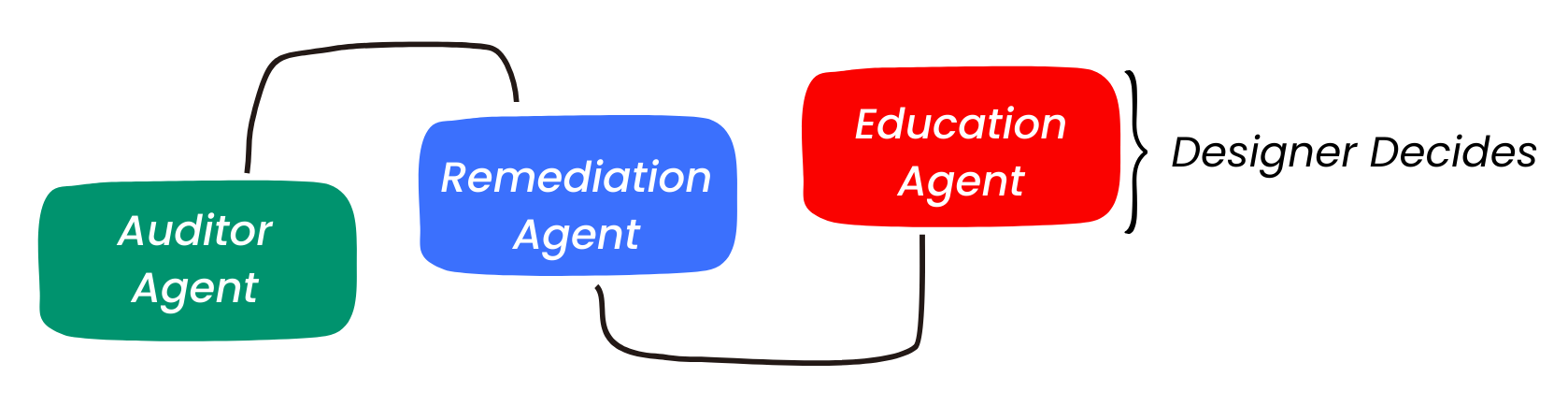
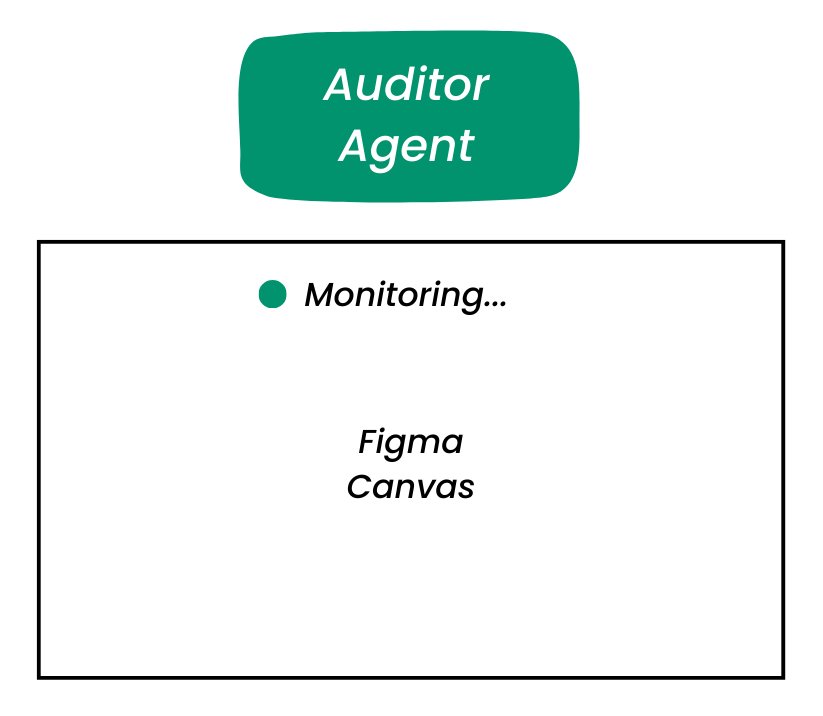
- The Auditor Agent: Continuously monitors your canvas for WCAG 2.2 violations - contrast ratios, touch target sizes, focus indicators, and screen reader hierarchy. It works silently in the background, identifying issues the moment they occur.
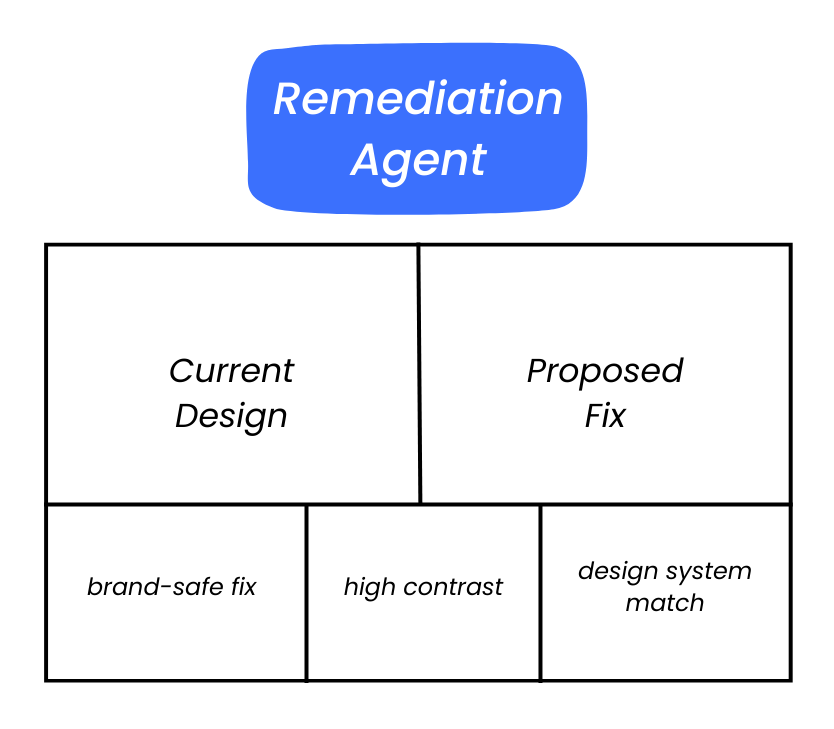
- The Remediation Agent: When violations are detected, this agent generates 2-3 visual solutions that achieve compliance while respecting your design system tokens and brand guidelines.
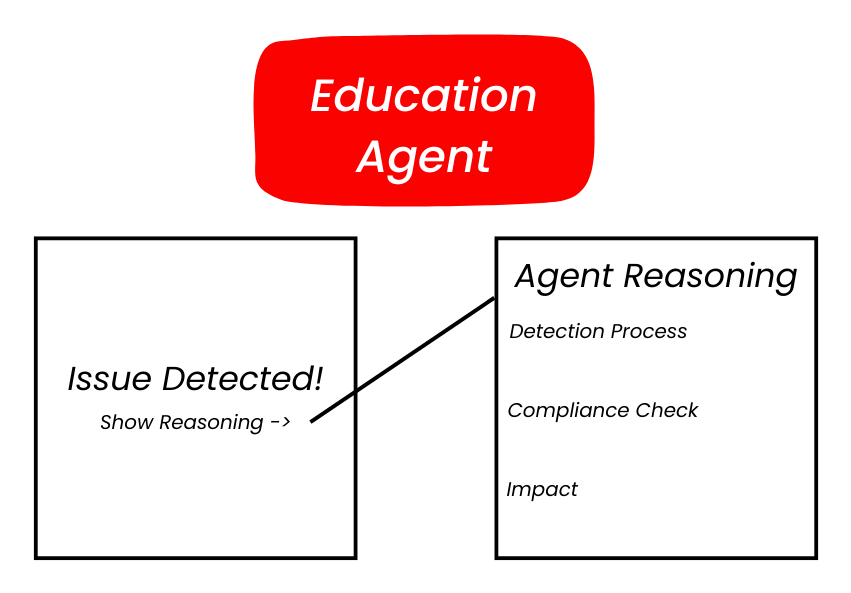
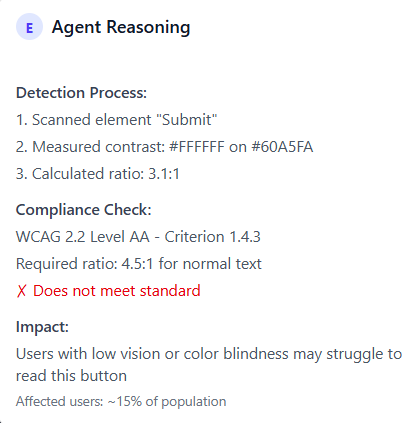
- The Education Agent: Explains the "why" behind each recommendation, citing specific WCAG criteria and the real-world impact on users with disabilities. Over time, it upskills designers to think accessibly by default.
3. Design Principles
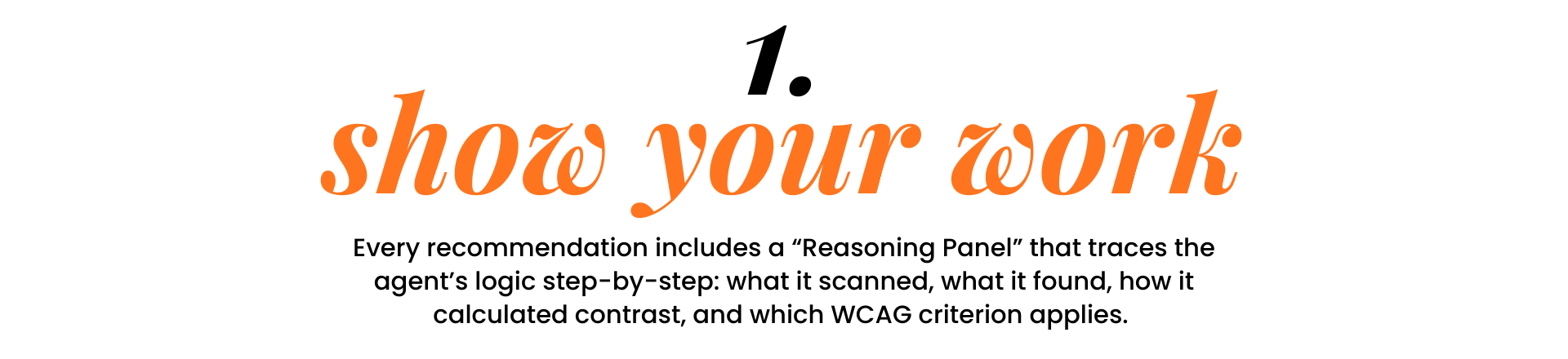
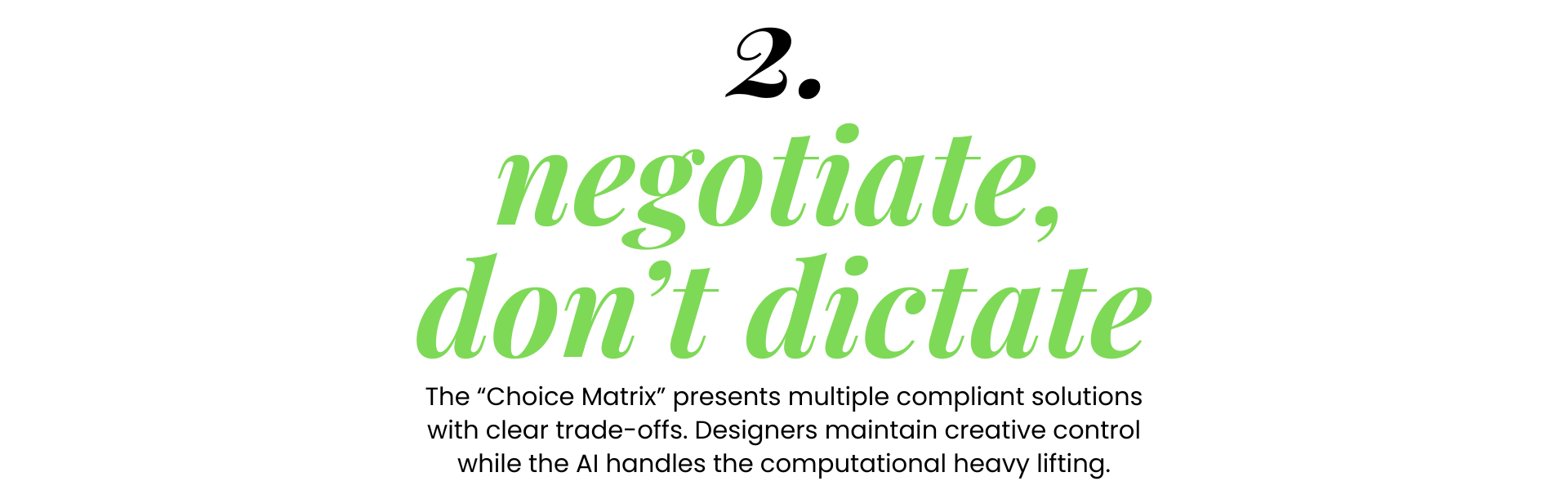
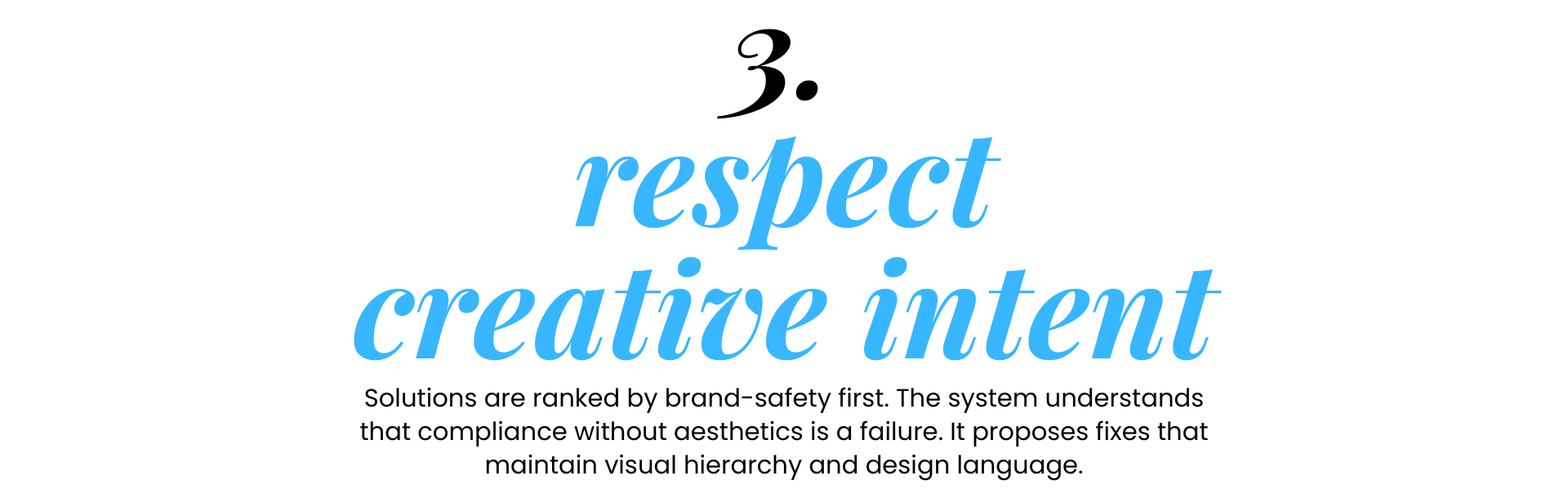
Building Trust Through Transparency
Agentic AI introduces a unique UX challenge: how do you make autonomous intelligence feel collaborative rather than controlling?
4. Key Features
The Three Critical Moments
I focused on designing the moments where AI intervention could be most valuable and most delicate:
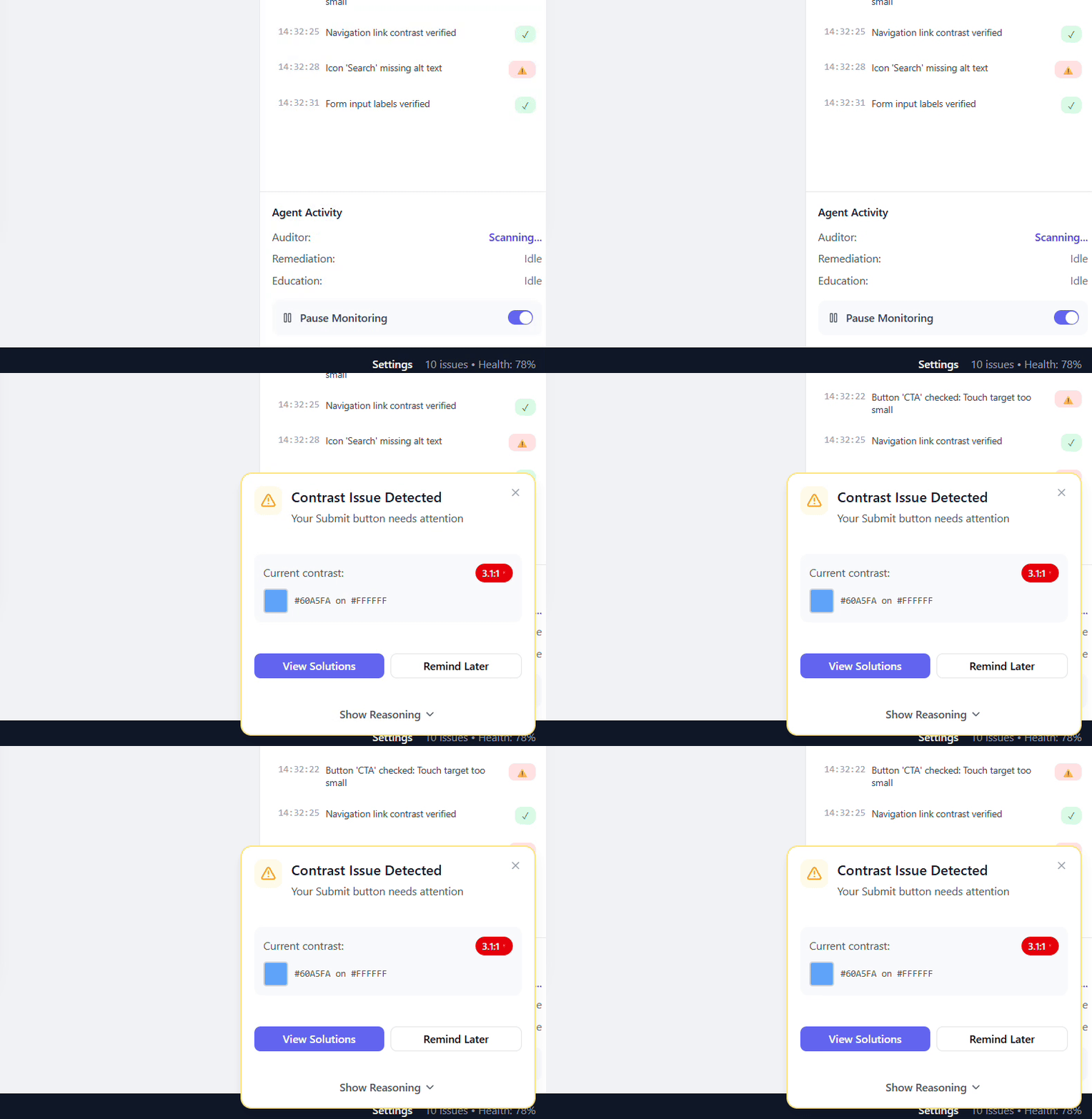
The Active Flag
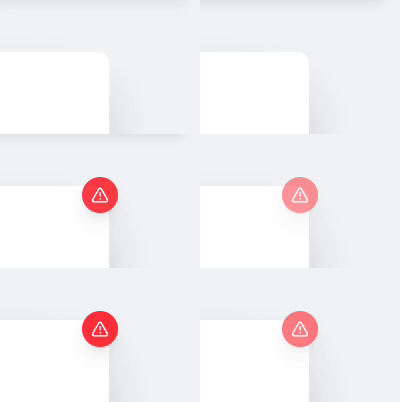
- A non-intrusive notification that appears when violations occur. It uses subtle animation and contextual placement to inform without interrupting flow.
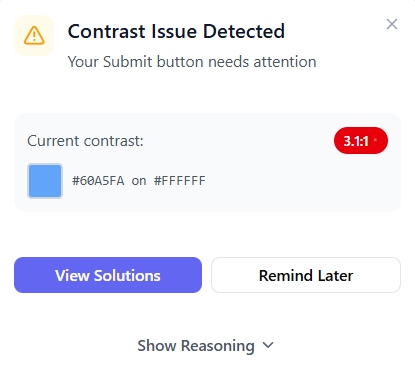
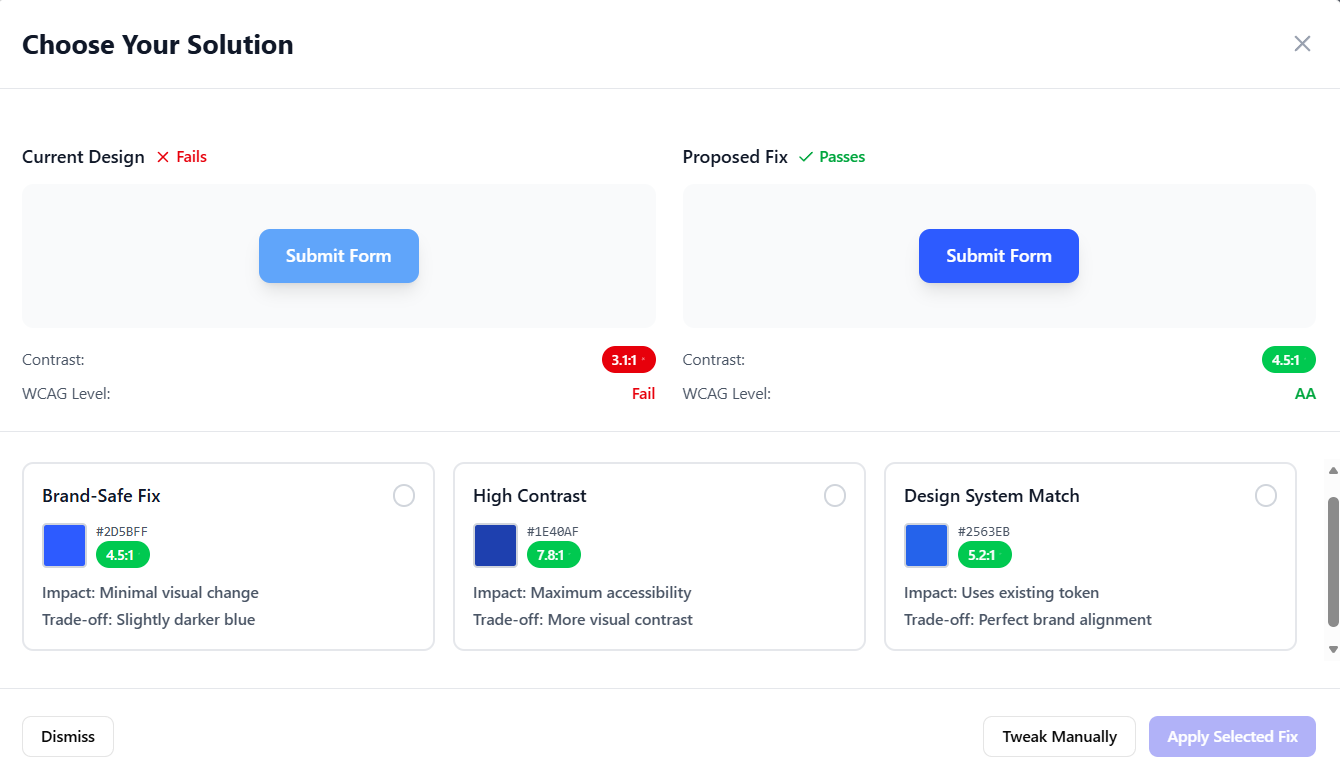
The Choice Matrix
- A split-view comparison showing your current design (failing) alongside AI-generated compliant alternatives. Each option includes contrast ratios, WCAG level compliance, and honest trade-offs.
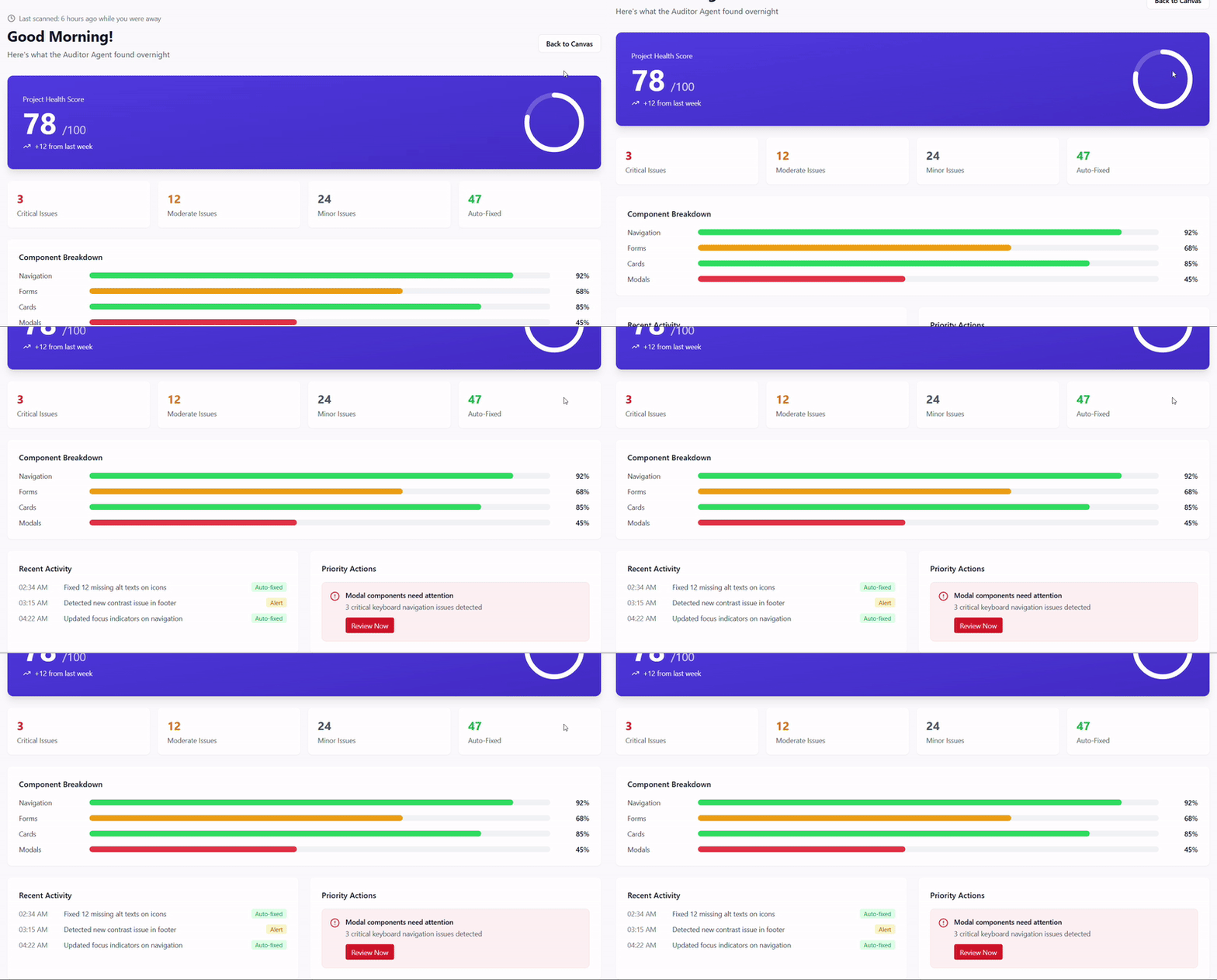
The Morning Brief
- An overnight audit dashboard that scans large projects while you're away. You wake up to a "Health Score," component-level breakdowns, and prioritized action items.
5. UX Deep Dive
Designing AI That Feels Like a Collaborator
The hardest part of the project wasn't the AI, it was the UX of making AI feel helpful rather intrusive. Here is how I approached 3 critical design challenges:
Challenge 1: Interruption vs. Ignorance
- Show violations immediately, but don't break creative flow. The Active Flag uses peripheral visual cues (pulse notifications, toast notifications) that inform without demanding immediate action. Designers can defer with "Remind me later" without guilt.
Challenge 2: Autonomy vs. Control
- The AI can auto-fix minor issues (like adding alt text to icons), but always asks permission for aesthetic changes. The Choice Matrix ensures designers feel empowered, not replaced. Partial acceptance ("Tweak Manually") preserves creative agency.
Challenge 3: The "Diff View" Pattern
- Borrowed from code review UIs (like GitHub PRs), the split-view comparison makes trade-offs tangible. Designers can visually compare the "before" and "after" side-by-side, seeing exactly what they'd gain (compliance) and what they'd sacrifice (slight color shift). This clarity reduces decision anxiety.
Full Ally Demonstration
6. The Technical Bridge
From Design Intent to Accessible Code
The handoff between design and development is where accessibility considerations are often lost. Ally bridges this gap by generating implementation-ready documentation.
ARIA Label Suggestions
- Generates context-aware labels for icons, buttons, and interactive elements based on their visual context and user intent.
- Documents expected tab order, focus management, and keyboard shortcuts based on their visual context and user intent.
- Ensures all recommended colors exist in the design system's token library, preventing implementation drift.
7. The Impact
Transforming How Teams Think About Accessibility
Rather than measure success in traditional metrics, Ally's potential impact was evaluated through the lens of behavioral change, workflow transformation, and cultural shift within design and development teams.
1. Shifting Accessibility from Reactive to Proactive
The Current Reality
- Through interviews with designers and developers, a consistent pattern showed up: accessibility is treated as a "gate" at the end of the design process. One designer described it as "finding out you failed an exam you didn't know you were taking."
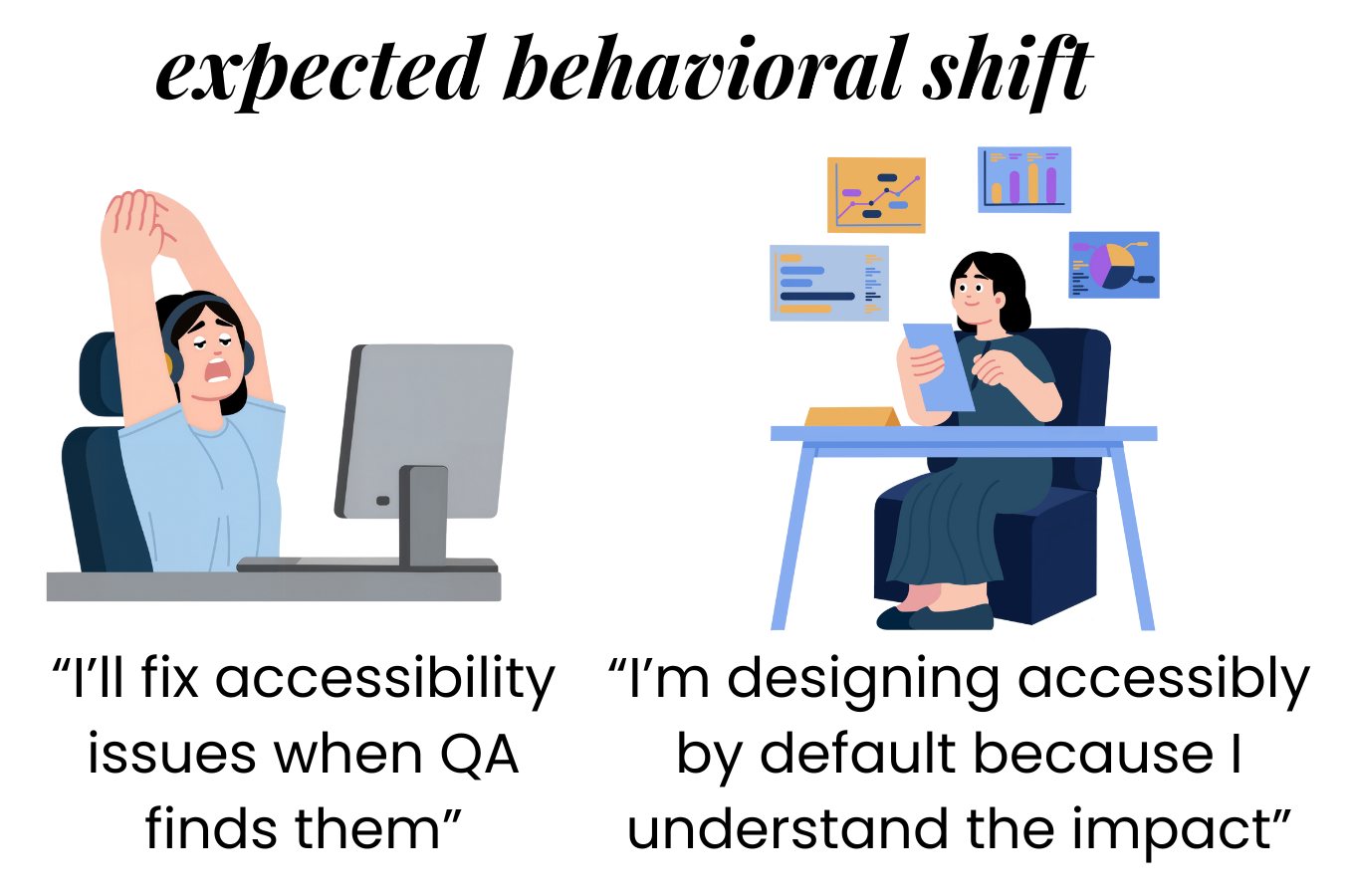
Supporting Research: Studies on "just-in-time" learning show that contextual education has 70% higher retention than deferred instruction. Ally applies this principle to accessibility compliance.
2. Reducing Cognitive Load for Designers
WCAG guidelines span 78 success critera across 13 guidelines. Even experienced designers struggle to internalize this complexity while maintaining creative flow.
By presenting violations as problems with solutions (rather than just problems), Ally reduces the anxiety and decision paralysis that often accompanies accessibility audits.
3. Upskilling Through Passive Learning
The Reasoning Panel acts as a "micro-learning" system. Every time a designer sees an explanation like "This contrast ratio fails because users with deuteranopia cannot distinguish these colors," they're being upskilled without realizing it.
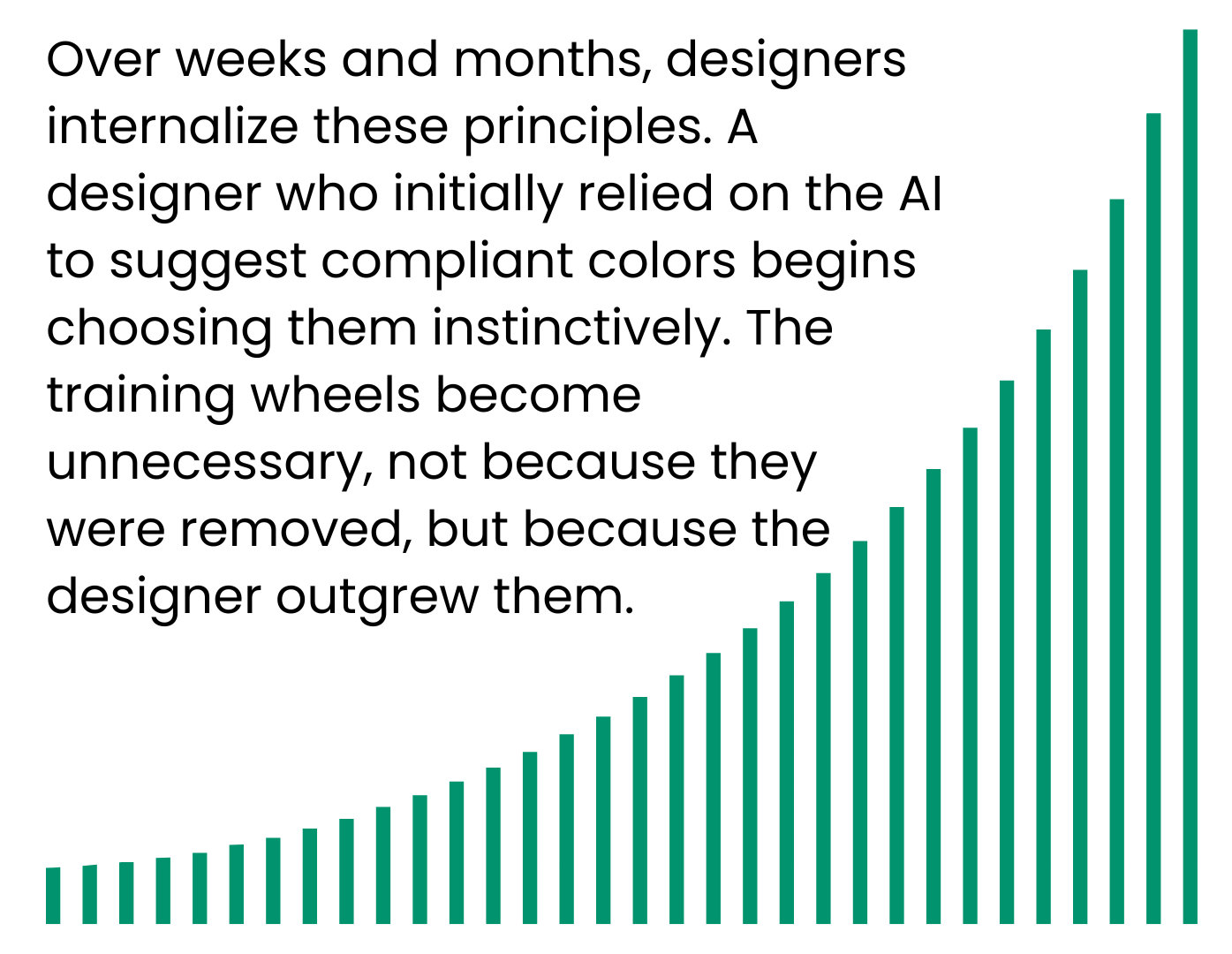
This mirrors the success of tools like Grammerly, which doesn't just correct grammer - it teaches users why corrections matter. Over time, users make fewer errors because they've passively learned the rules.
4. Reducing the "Retrofit Tax"
Companies that bolt on accessibility at the end of development cycles spend 3-5x more time fixing violations than if they had been prevented. This isn't just inefficient - it's demoralizing for teams who have to rework "finished" projects.
Business Case: Preventing problems is cheaper than fixing them. Ally makes prevention the path of least resistance.
8. Key Learnings
What I Learned Building Ally
- AI UX is about managing expectations
- Users trust AI more when it shows uncertainty. The phrase "I'm suggesting" landed better than "You should." Humility in language design was critical to adoption.
- Designers want to learn, not be bypassed
- Early prototypes focused too much on automation. User testing revealed designers valued the educational layer as much as the automation. The "why" matters as much as the "what".
- Accessibility isn't one-size-fits-all
- Different design systems have different constraints. Ally needed to learn each team's design tokens, brand guidelines, and aesthetic preferences to give useful recommendations. Context is everything.
9. Next Steps
Here's what I'd explore in future iterations of Ally:- Cognitive Load Analysis: Extend beyond WCAG to analyze information density, reading level, and cognitive accessibility for users with ADHD or dyslexia.
- Cross-Platform Auditing: Audit not just Figma files but live websites, React components, and native mobile apps with a unified accessibility score.
- Team Collaboration: Allow accessiblity specialists to review and approve AI suggestions before they're applied, creating a human-in-the-loop workflow for enterprise teams.