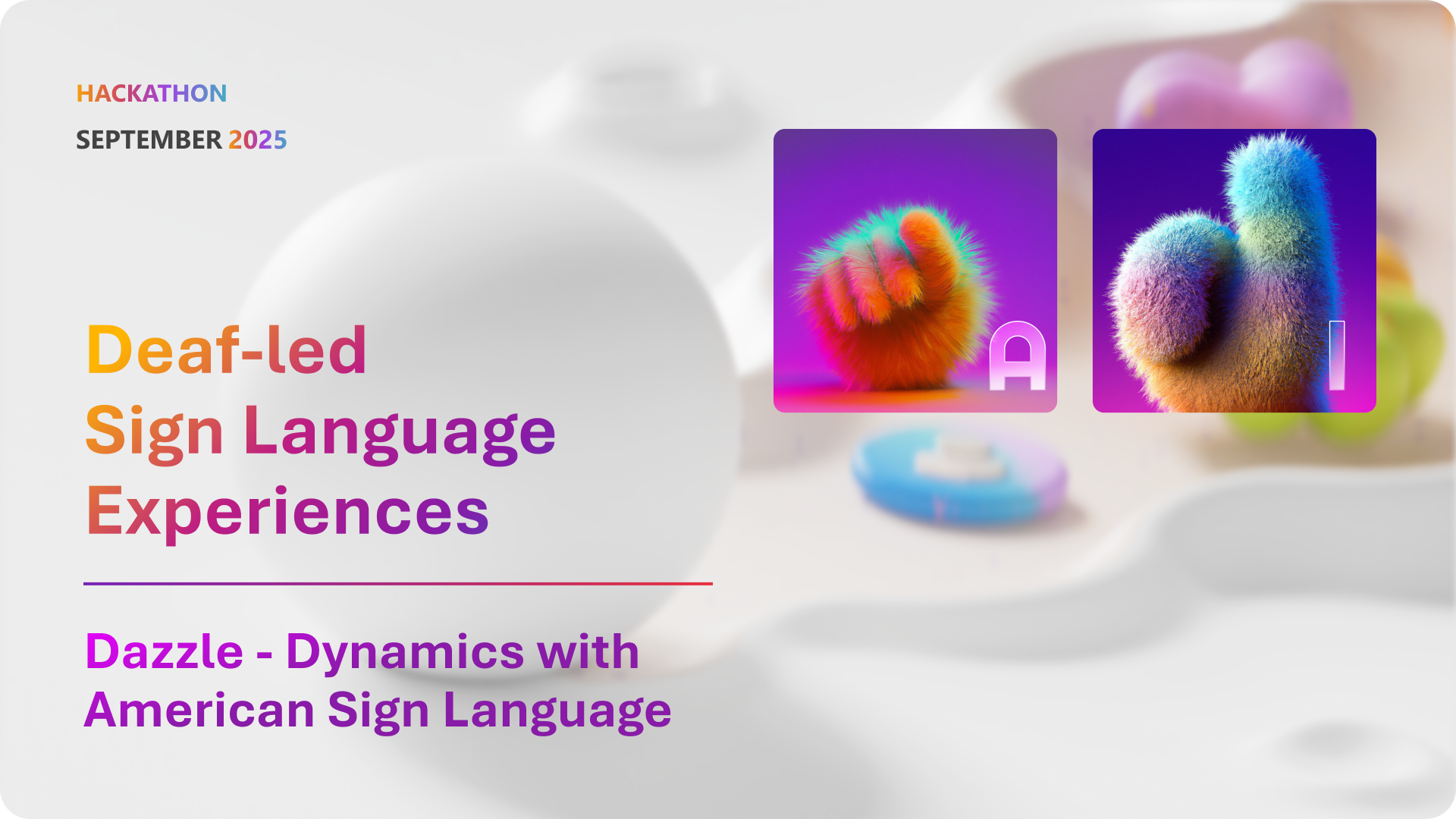
Dazzle won the #Hack4Inclusion award sponsored by the Disability ERG.
Impact:
- Reduction of overall call time by 30+ mins
- Decreased context and device switching for Deaf engineers and customer frustration
- Supports further fine-tuning of the SLRT (Sign Language Recognition Translation) model
- Raised internal awareness of Deaf engineers' invisible labor
- Strong candidate for production implementation
1. The User
Primary User:
👉 Deaf Support Engineers who rely on American Sign Language (ASL) as their primary mode of communication.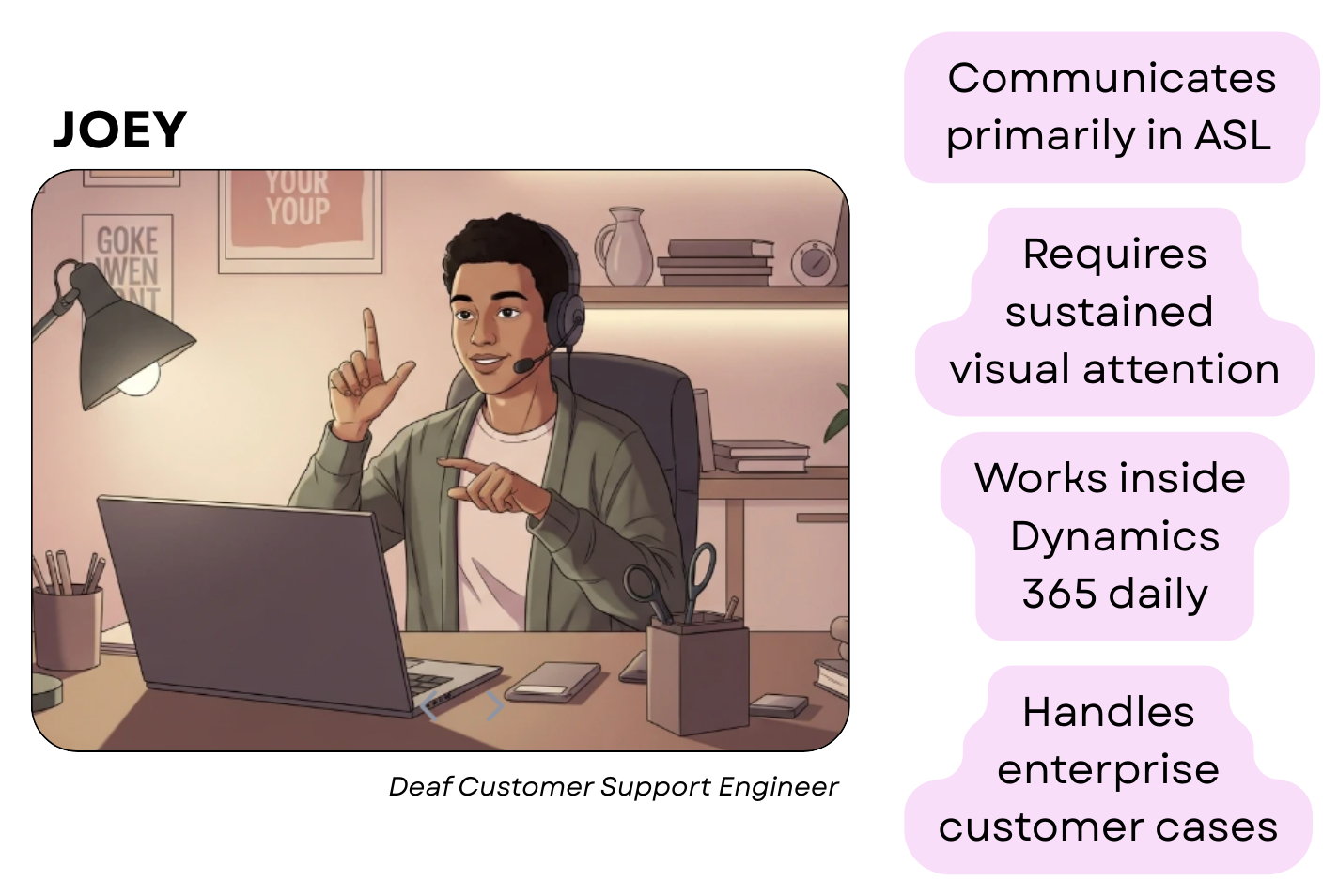
Secondary Users:
- Deaf customers receiving enterprise support.
- Hearing teammates collaborating with Deaf engineers.
2. The Real Problem
Deaf support engineers face challenges that traditional enterprise tools don't acccount for:- ASL requires continuous visual attention
- Most CRM workflows assume users can:
- Listen while typing
- Read while talking
- Switch contexts seamlessly
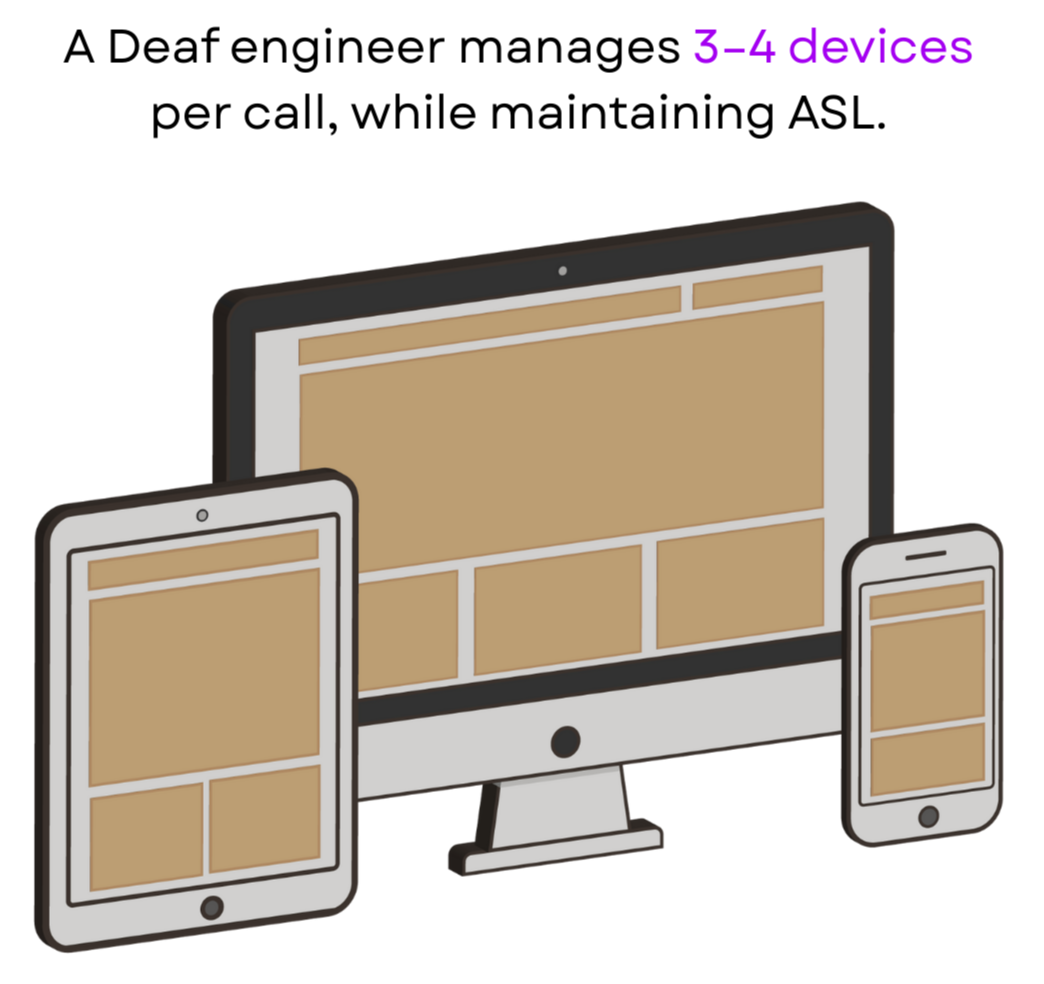
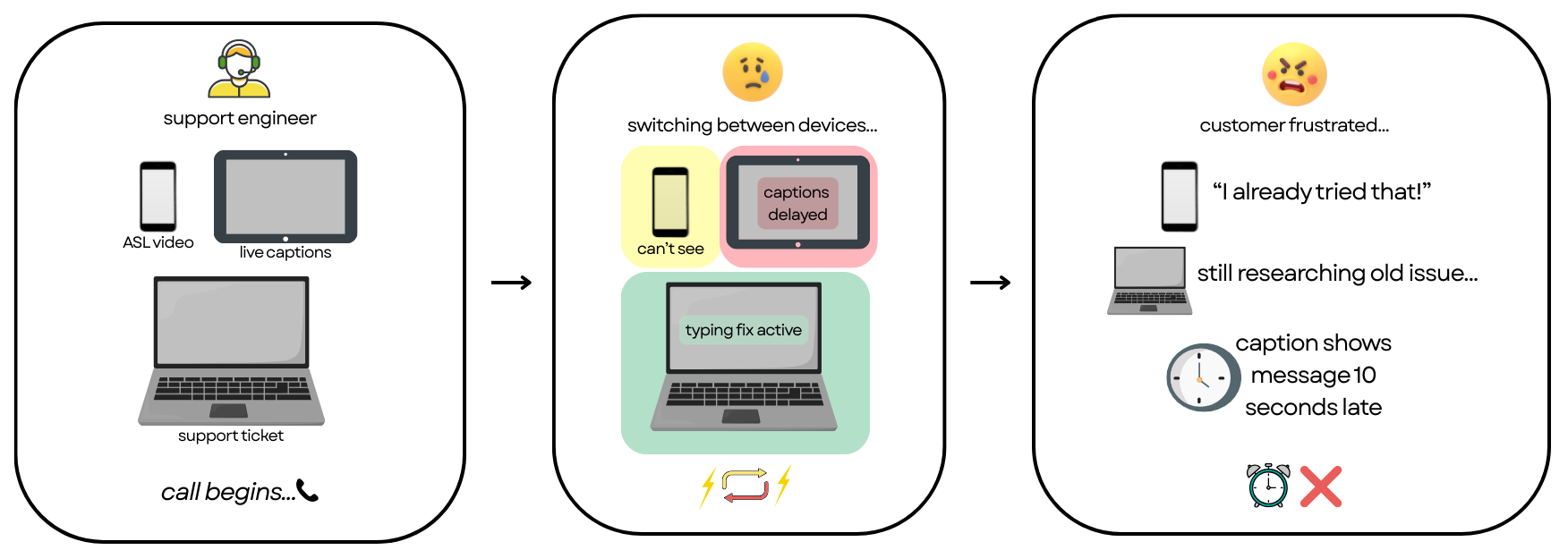
- Switch between 3-4 devices (videophone, computer, transcription tool)
- Break eye contact to document cases
- Put customers on hold to research issues
- Reconstruct ASL conversations into text after calls
- Longer handle times (30-35+ minutes per case)
- Loss of nuance in documentation
- Cognitive overload and communication fatigue
3. Why Existing Solutions Failed
From interviews, journey mapping, and standards review:- Live transcription is delayed and unreliable
- CRM tools are text-first, not visual-first
- No system supports ASL + documentation + collaboration in one place
- Engineers must choose between:
- Engaging with the customer
- Doing their job tasks
4. The Breakthrough Idea
What if ASL wasn’t an accommodation — but a first-class input modality inside the CRM?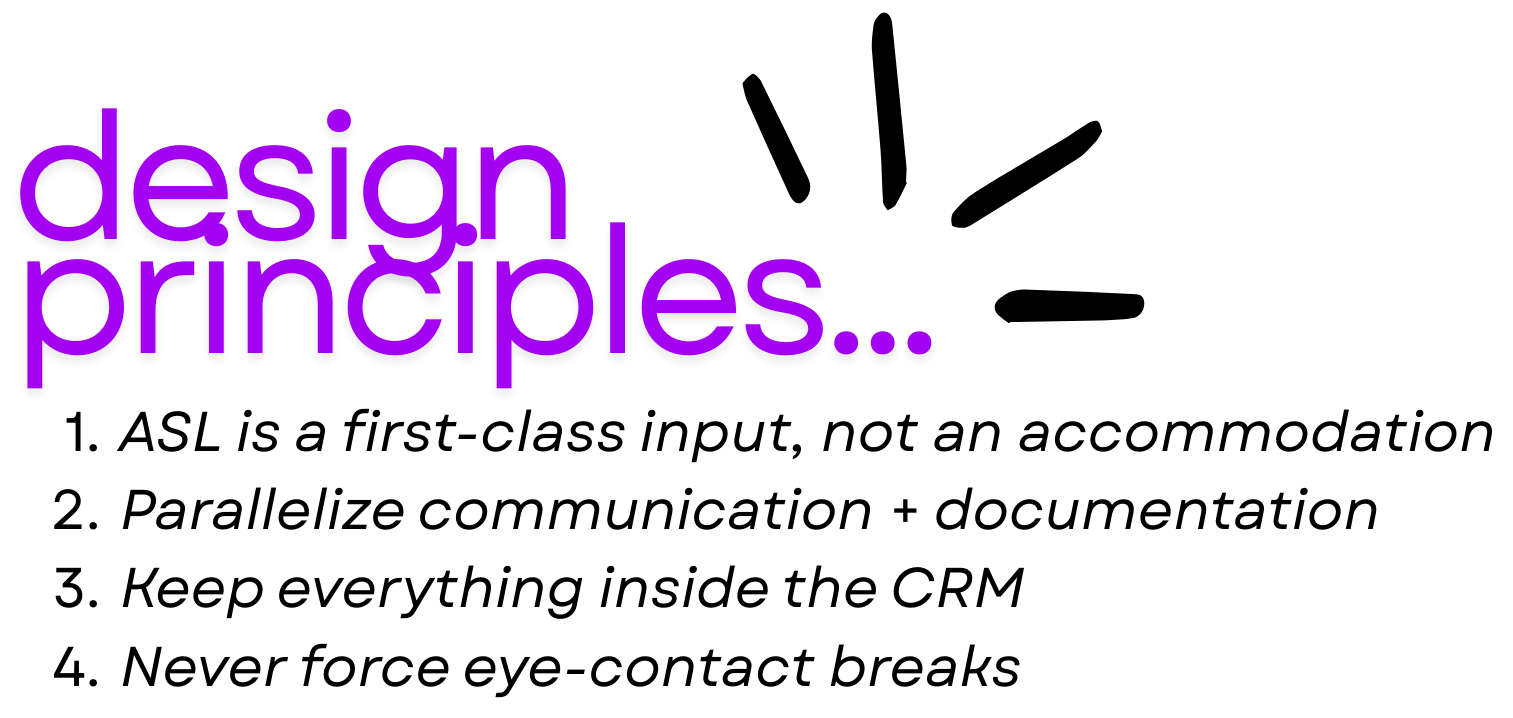
- ASL video is embedded directly into workflows
- Copilot assists with real-time translation and rewriting
- Documentation happens without breaking eye contact
5. What I Designed
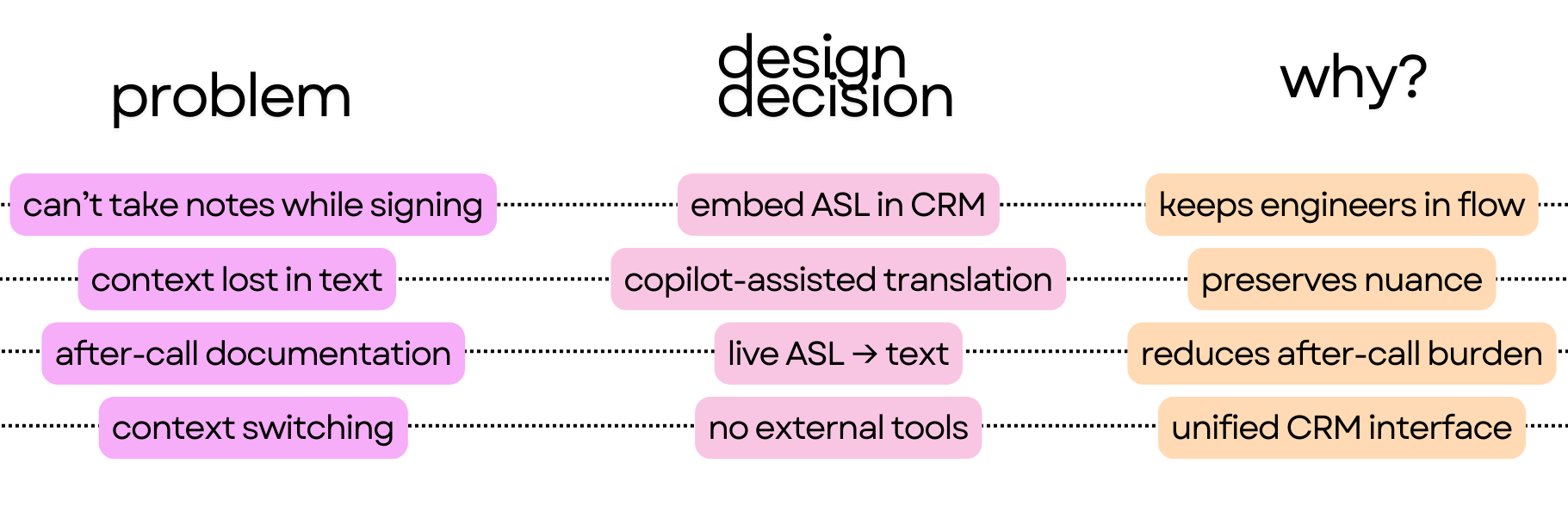
1. Copilot-Assisted ASL -> Text
- ASL transcription after recording
- Copilot refines and rewrites transcripts into professional case notes
- Engineers can edit without re-recording
2. ASL-Enabled Email Drafting
- Engineers draft emails using ASL
- Copilot converts signing into polished written responses
- Reduces after-call documentation time
3. Unified, In-CRM Experience
- No external videophones
- No device switching
- No context loss
Live prototype of using ASL to write case notes.
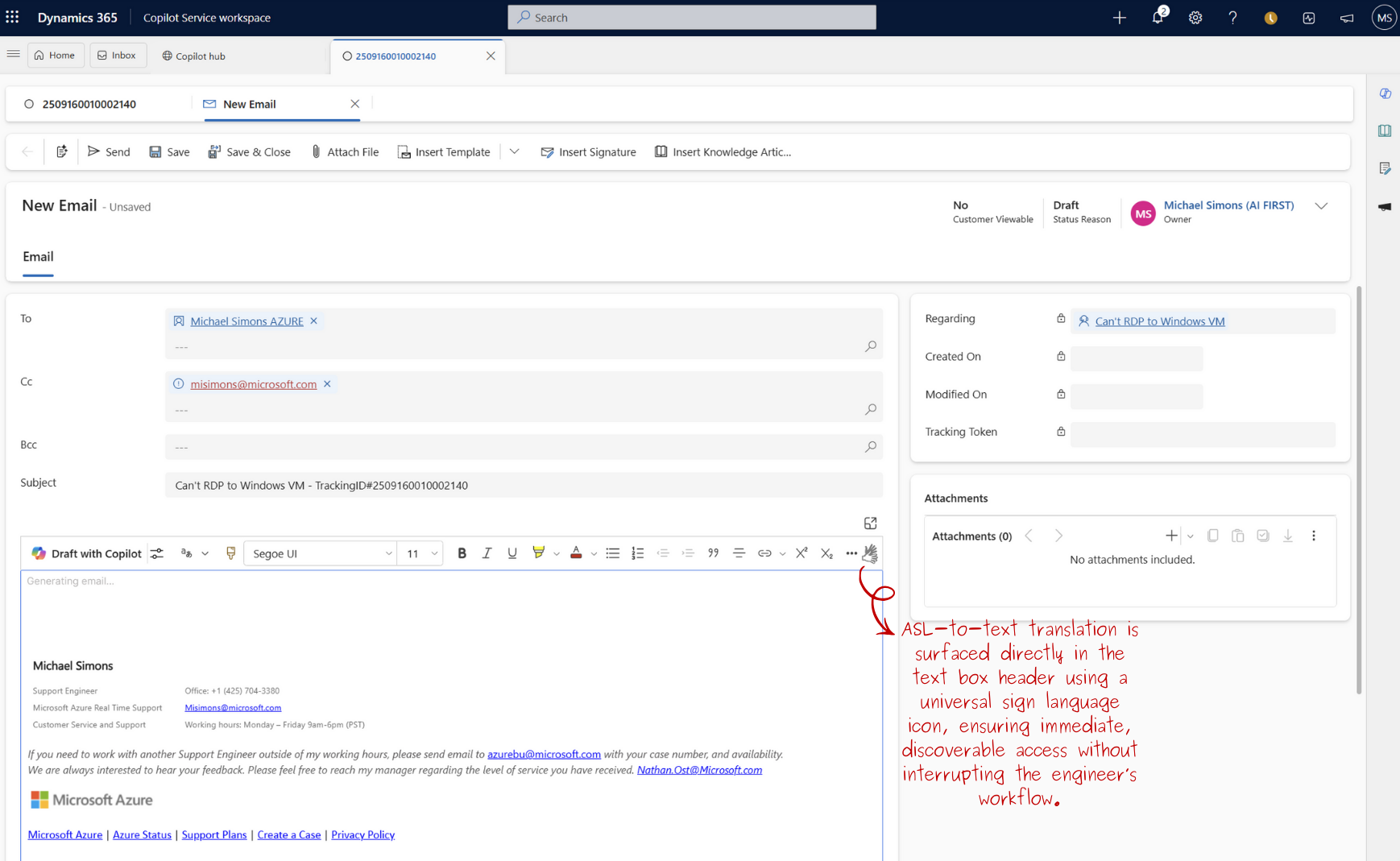
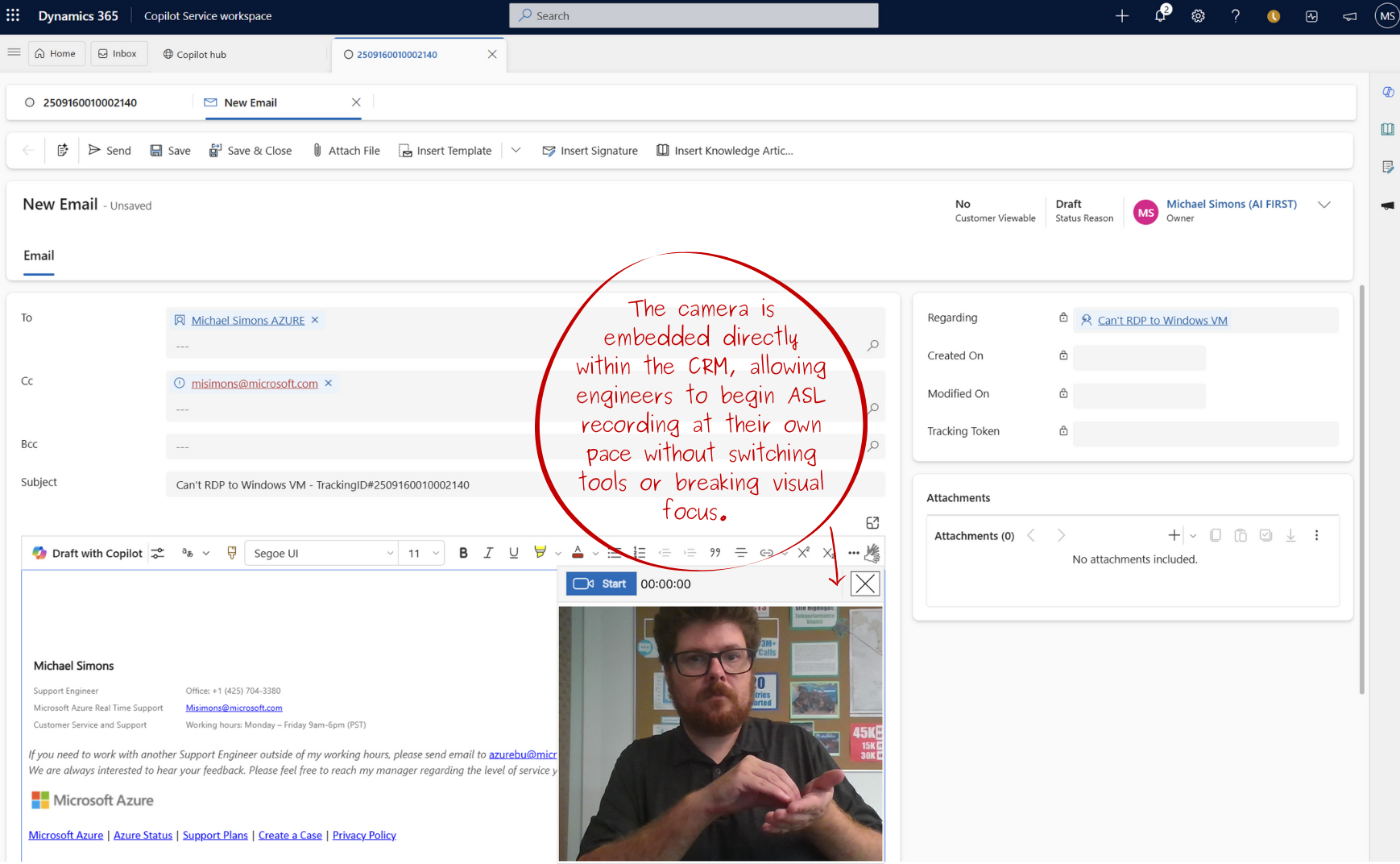
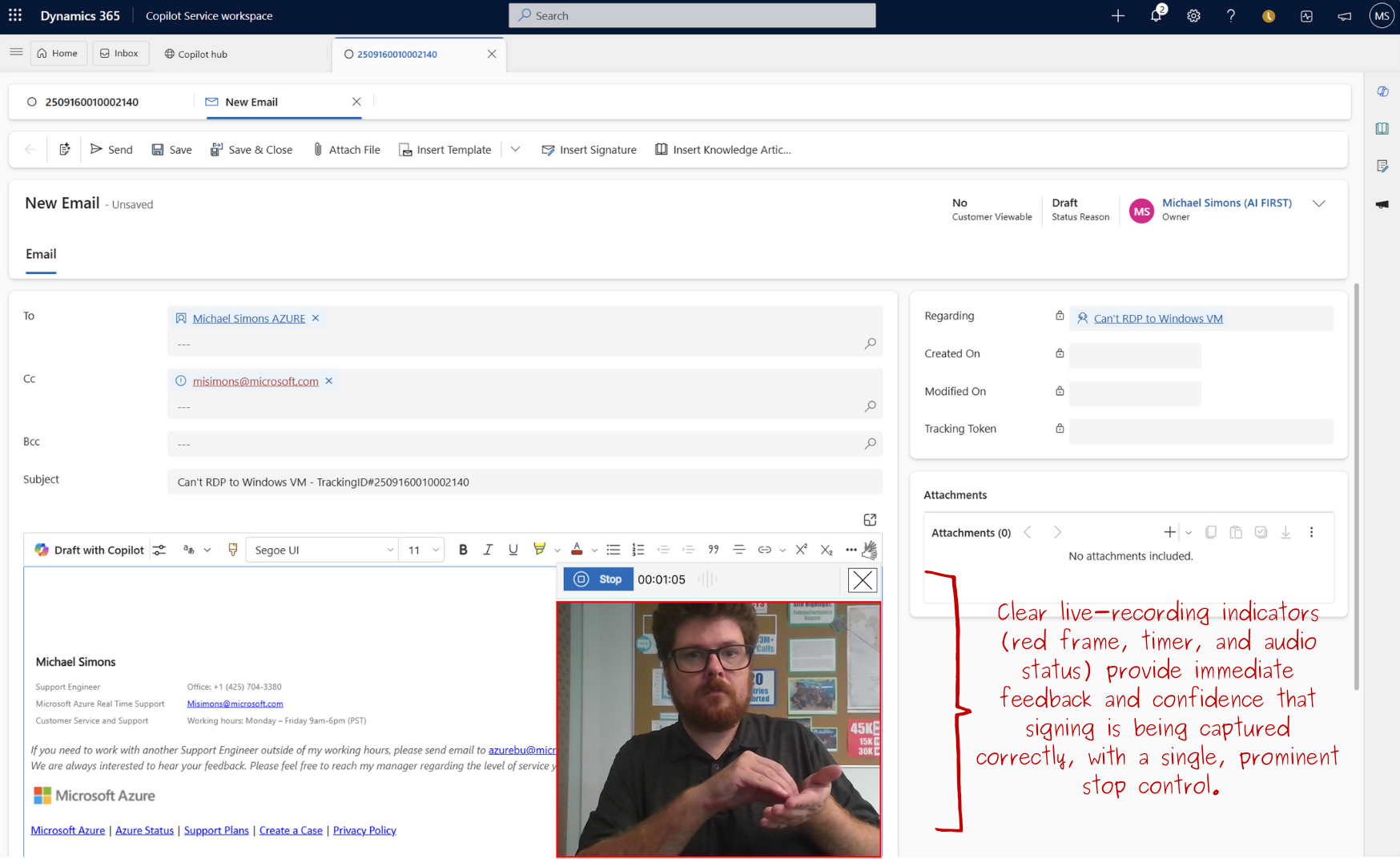
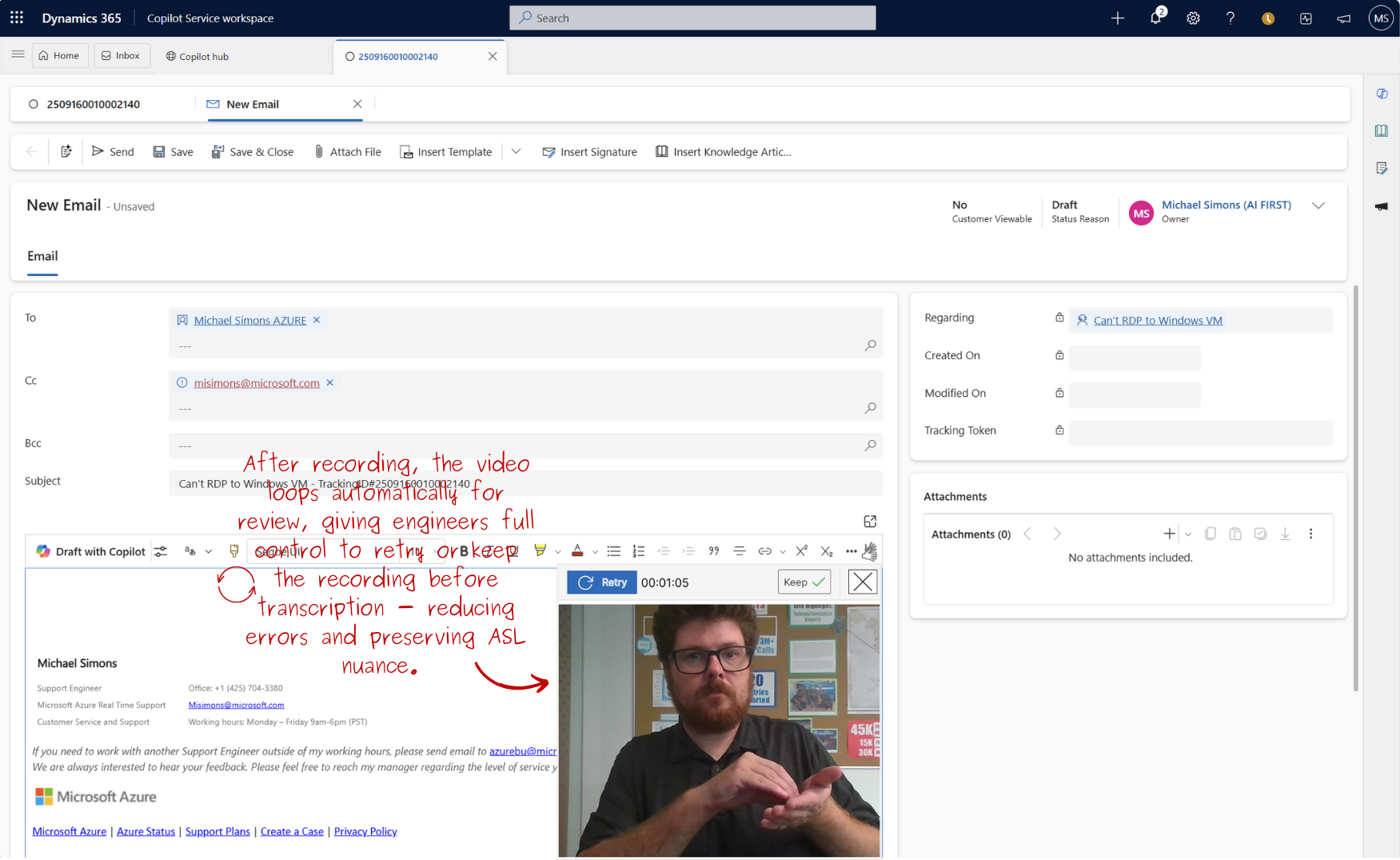
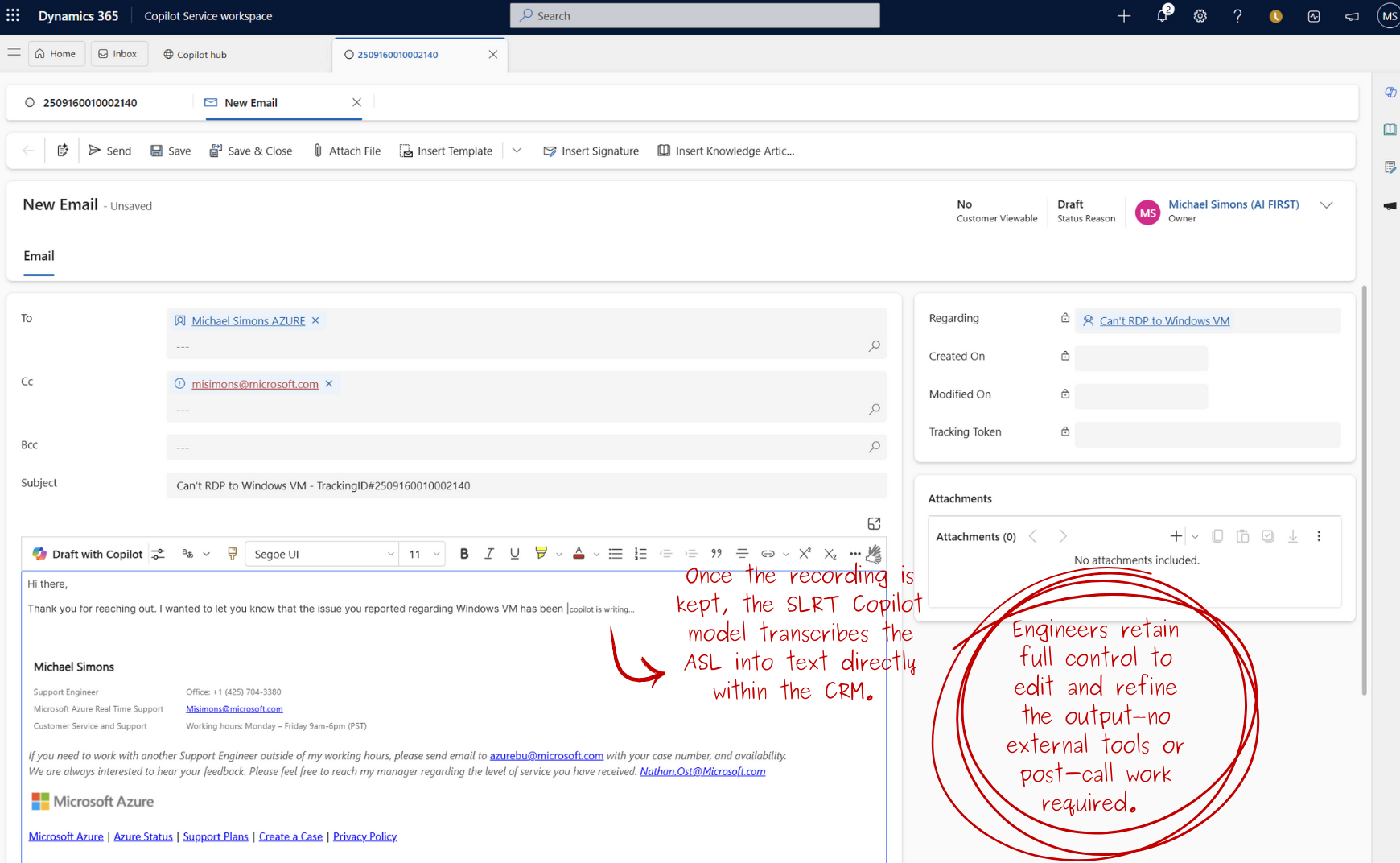
All designs were prototyped in Figma and validated against Dynamics 365 feasibility constraints.
6. My Role & Decisions
I was the UX Designer responsible for end-to-end experience and systems design, including:- Conducted interviews with Deaf participants and support engineers (US & Ireland)
- Synthesized research into core problem themes
- Defined ASL-first interaction principles
- Designed end-to-end CRM workflows
- Prototyped low- to high-fidelity solutions in Figma
- Collaborated with engineers to validate feasibility
- Iterated through usability testing with Deaf and hearing users
7. Impact & Outcomes
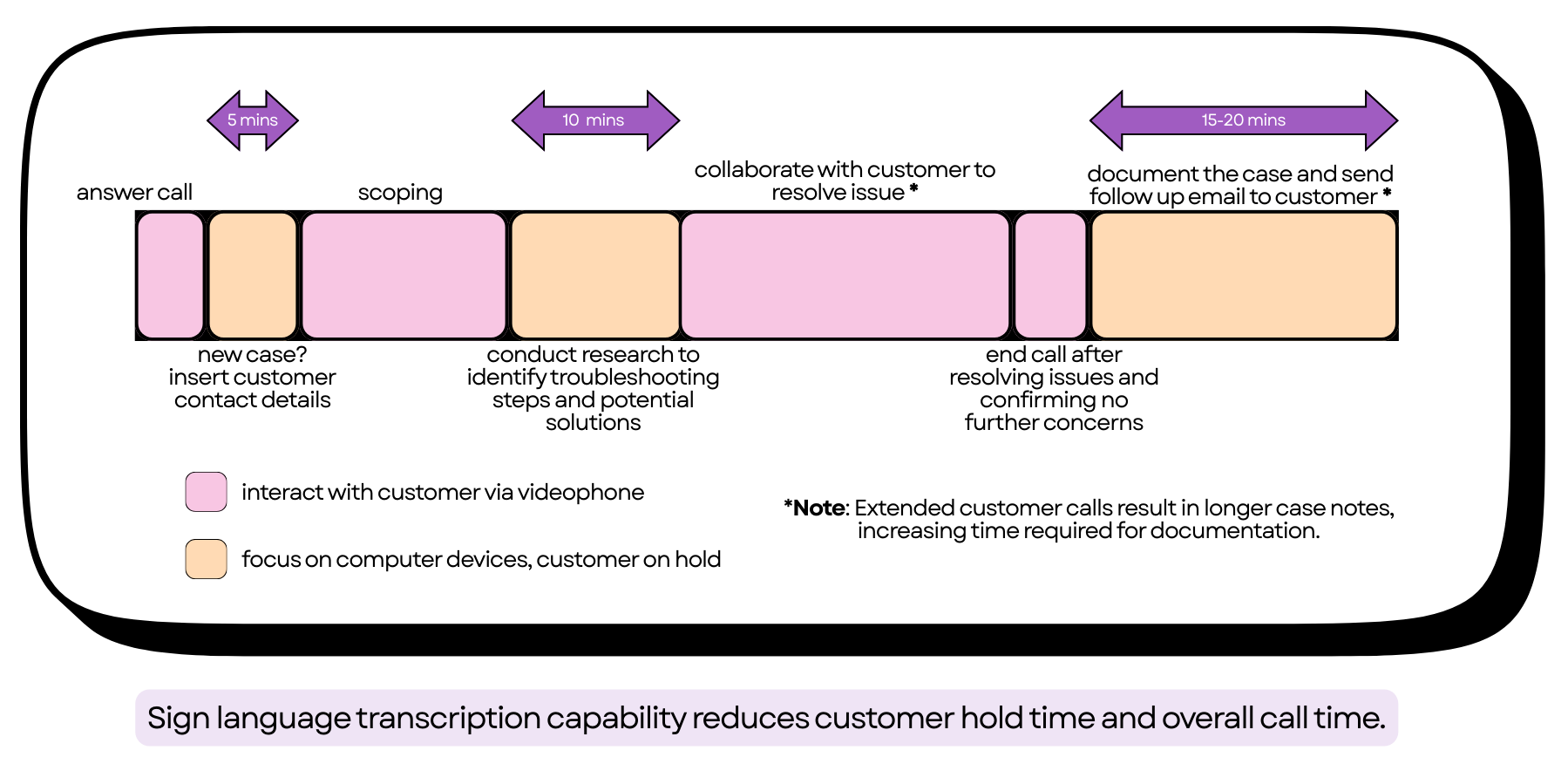
🚀 Reduction of overall call time by 30+ mins.
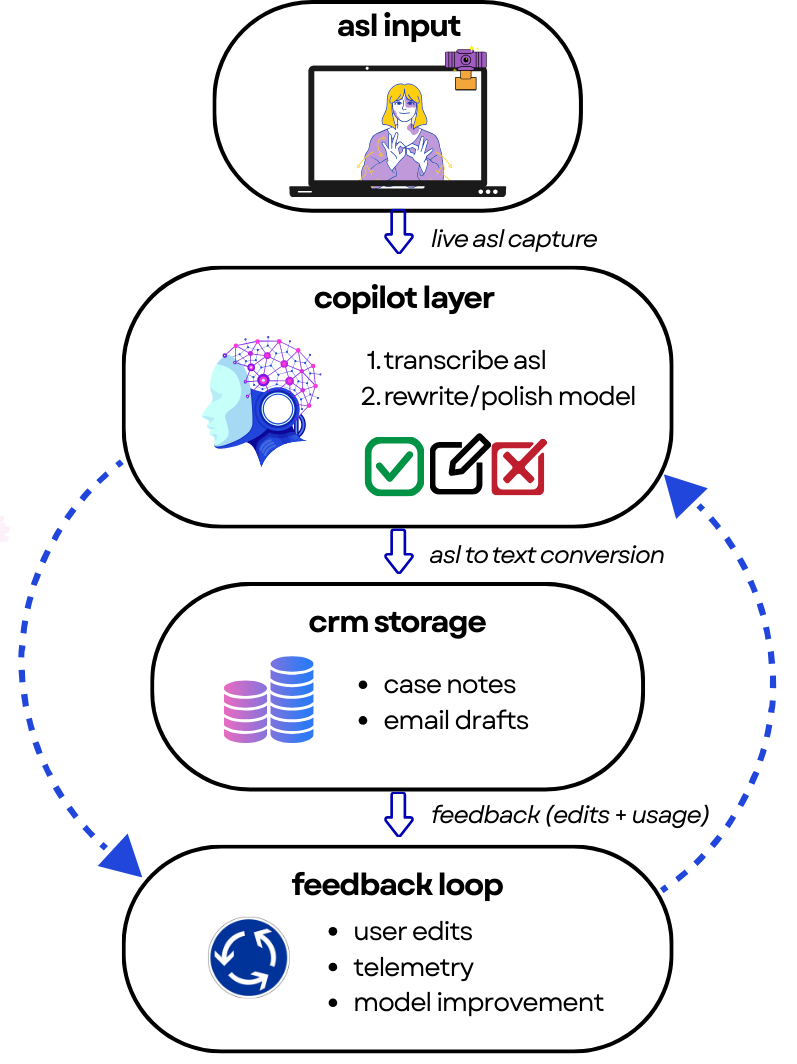
🚀 ASL recordings being sent to Copilot for transcription also further fine-tune the SLRT model.
- 🏆 Won Hack4Inclusion Award sponsored by the Disability ERG
- 🚀 Identified as a candidate for production development
- 🌍 Raised internal awareness of Deaf engineers' invisible labor
- 🧠 Demonstrated how Copilot can support non-text primary users
8. Reflections & Learnings
What went well:- Advocated for design leadership while working as a software engineer, stepping into and owning the Product Designer role for the workstream.
- Collaborated closely with designers and cross-disciplinary partners, strengthening shared understanding across roles.
- Gained firsthand exposure to how Deaf engineers work day-to-day, which directly shaped design decisions.
- Benefited from fast, meaningful iteration because the project was Deaf-led and feedback loops were immediate.
- Validate transcription accuracy across ASL dialects
- Define trust & confidence indicators for Copilot translations
- Measure real handle-time reduction in pilot teams
- Explore privacy controls for video-based documentation
- Invest time in visual polish and edge-case documentation
- Accessibility shines when design is led by the people it serves
- Strong product design requires advocacy, clarity and ownership regardless of formal role
- Rapid iteration is most effective when feedback is direct and embedded in the team
- Desiging inclusive systems means planning for continuity, edge cases, and scale from the start